
TrueLang for PrestaShop, screen by screen
The module in a real store's back office: two hundred product sheets, six languages, nothing made up.
The module tells you what to do
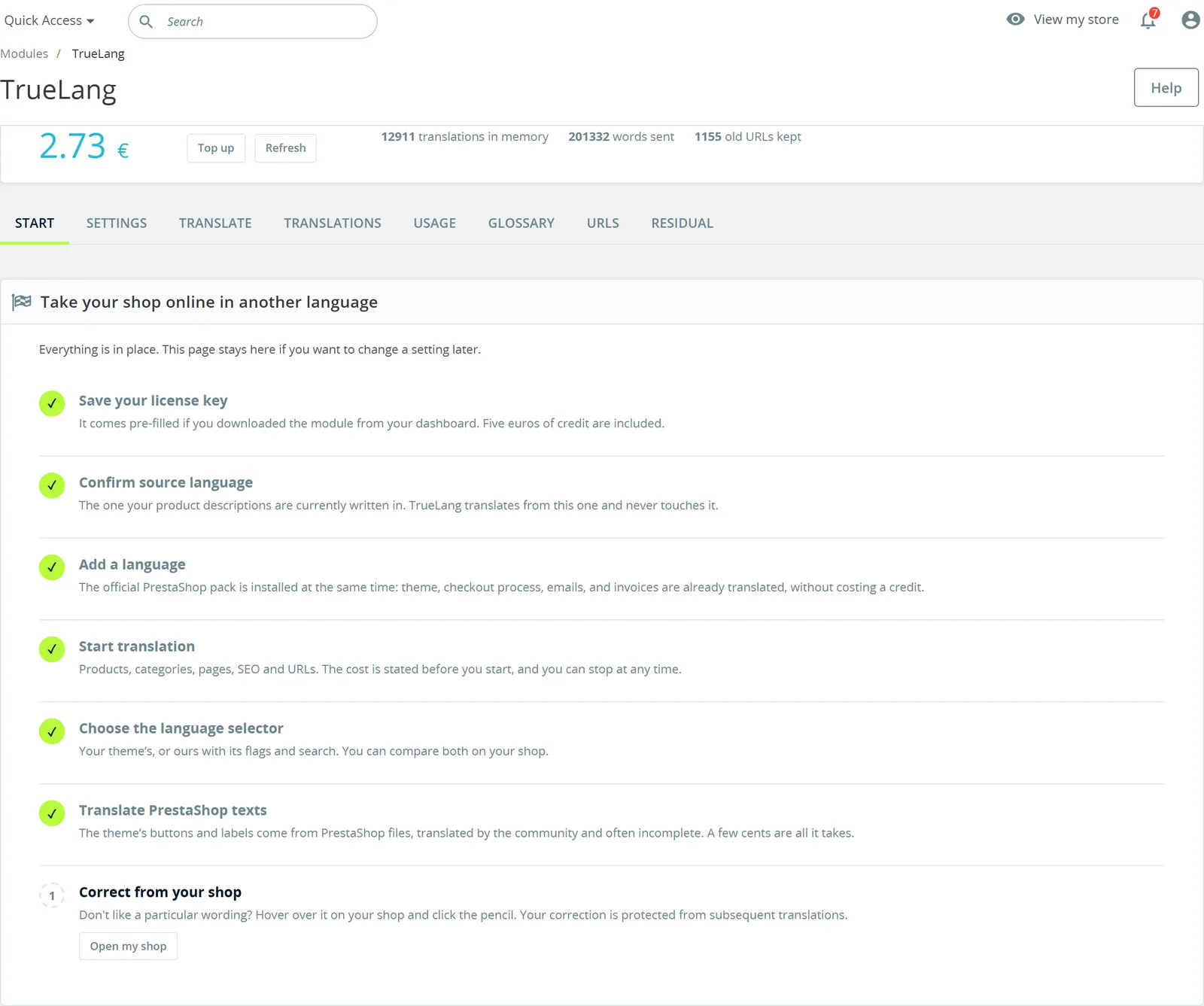
A Start tab lists seven steps and checks off completed ones: license key, source language, adding a language, translation, selector, PrestaShop texts, and correction from the store.
The key is already filled in if you downloaded the module from your dashboard, and five euros of credits are given. The page stays there if you want to come back to a setting.
No overlay: PrestaShop serves your translations
The module writes into PrestaShop's language tables, the ones your store already uses for its multilingual system. There's no translation layer on display, no HTML rewritten on the fly.
The direct consequence: disable TrueLang and your translated pages remain in place. PrestaShop continues to serve them, with its own URLs, its sitemap and its hreflang tags.
Adding a language installs the official PrestaShop translation pack along the way: the theme, checkout flow, emails and invoices are already translated, without consuming a credit. TrueLang only translates your own content.
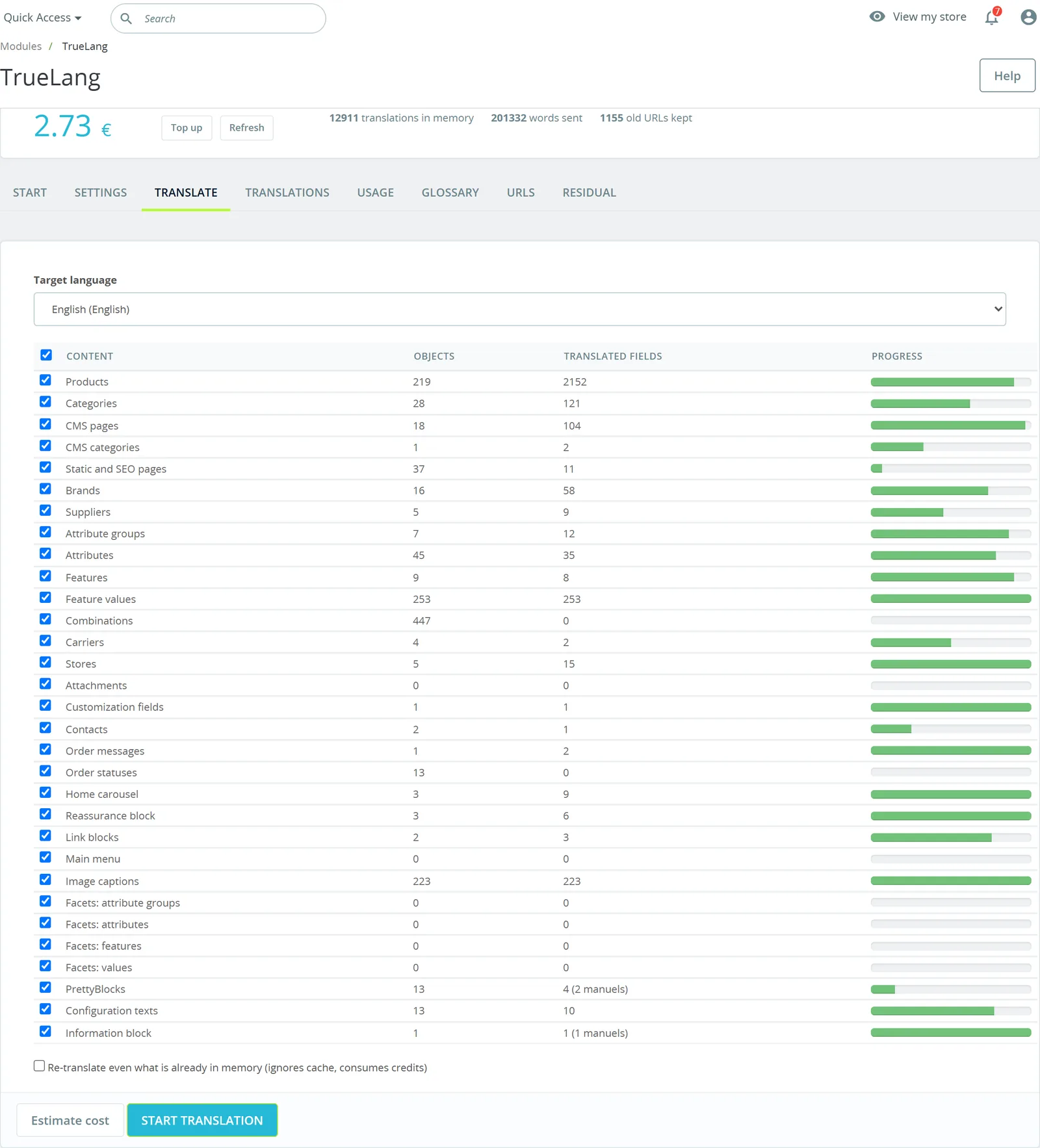
Thirty-one content types, counted before you start
The Translate tab lists what your store contains, type by type, with the number of objects, already-translated fields and a progress bar. Products, categories, CMS pages, brands, suppliers, attributes, features, variants, carriers, image captions, search facets, page builder blocks, order statuses.
You uncheck what you don't want, you click Estimate cost, and the amount is announced before you begin.
A checkbox allows retranslating even what's already in memory. Without it, a second pass only returns what's missing.
The selector: yours, ours, or none
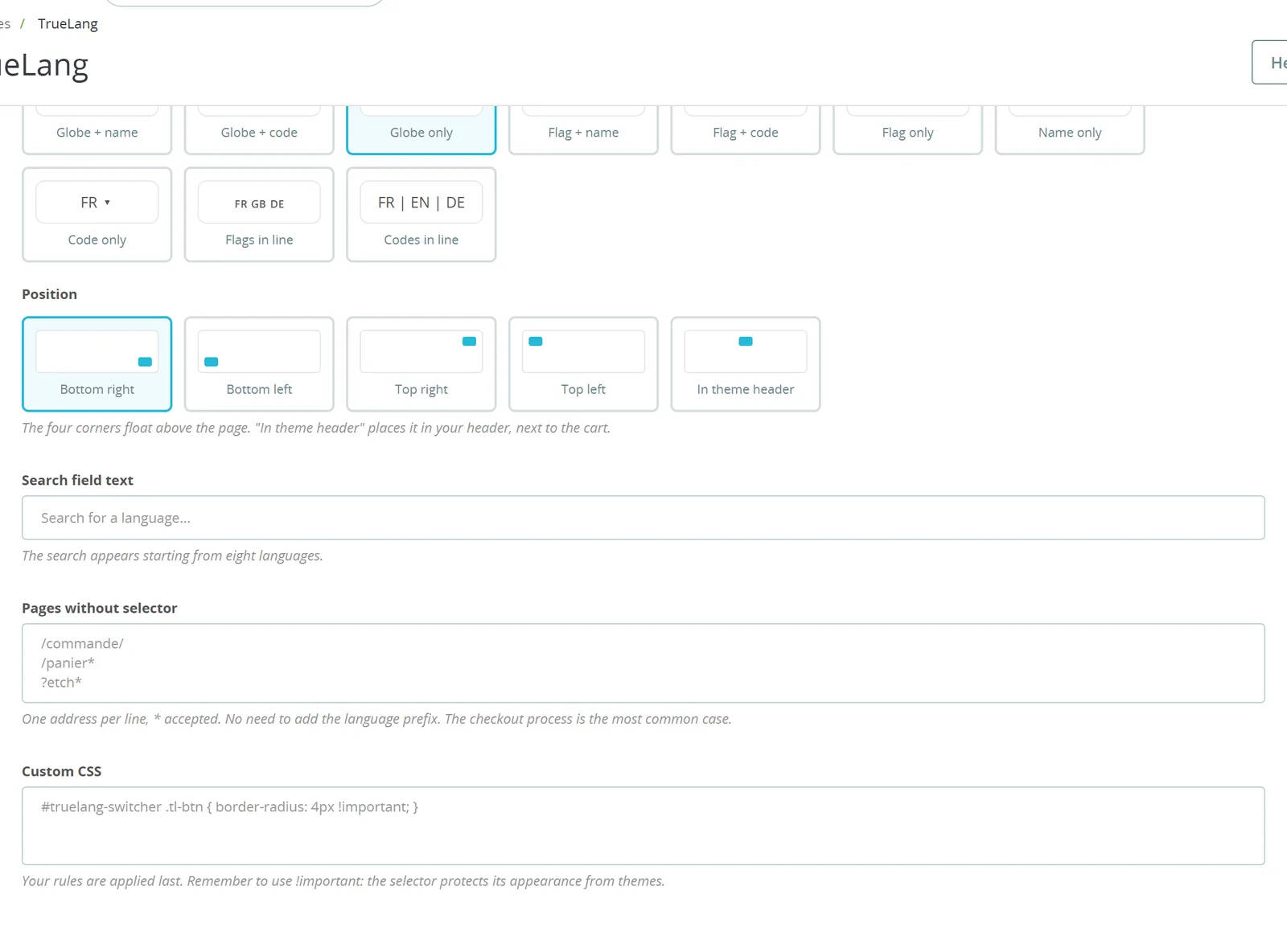
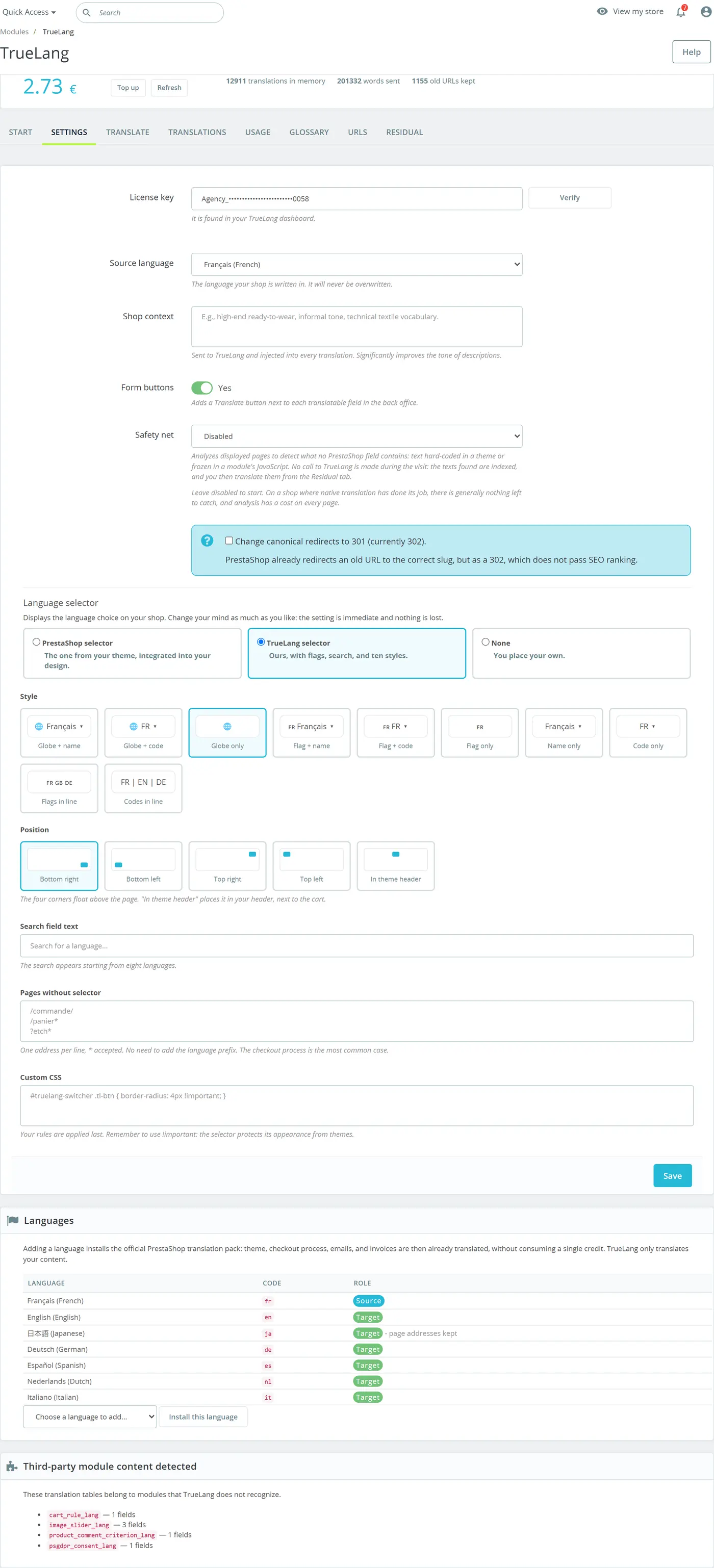
Three choices, changeable as many times as you like: your theme's selector, integrated into your design; TrueLang's, with flags, search and ten styles; or none, if you prefer to place your own.
Ten styles, five locations including the theme header, a search field that appears from eight languages on, a list of pages where to hide it, and a custom CSS field to blend it into your store.
Correct a sentence from the store
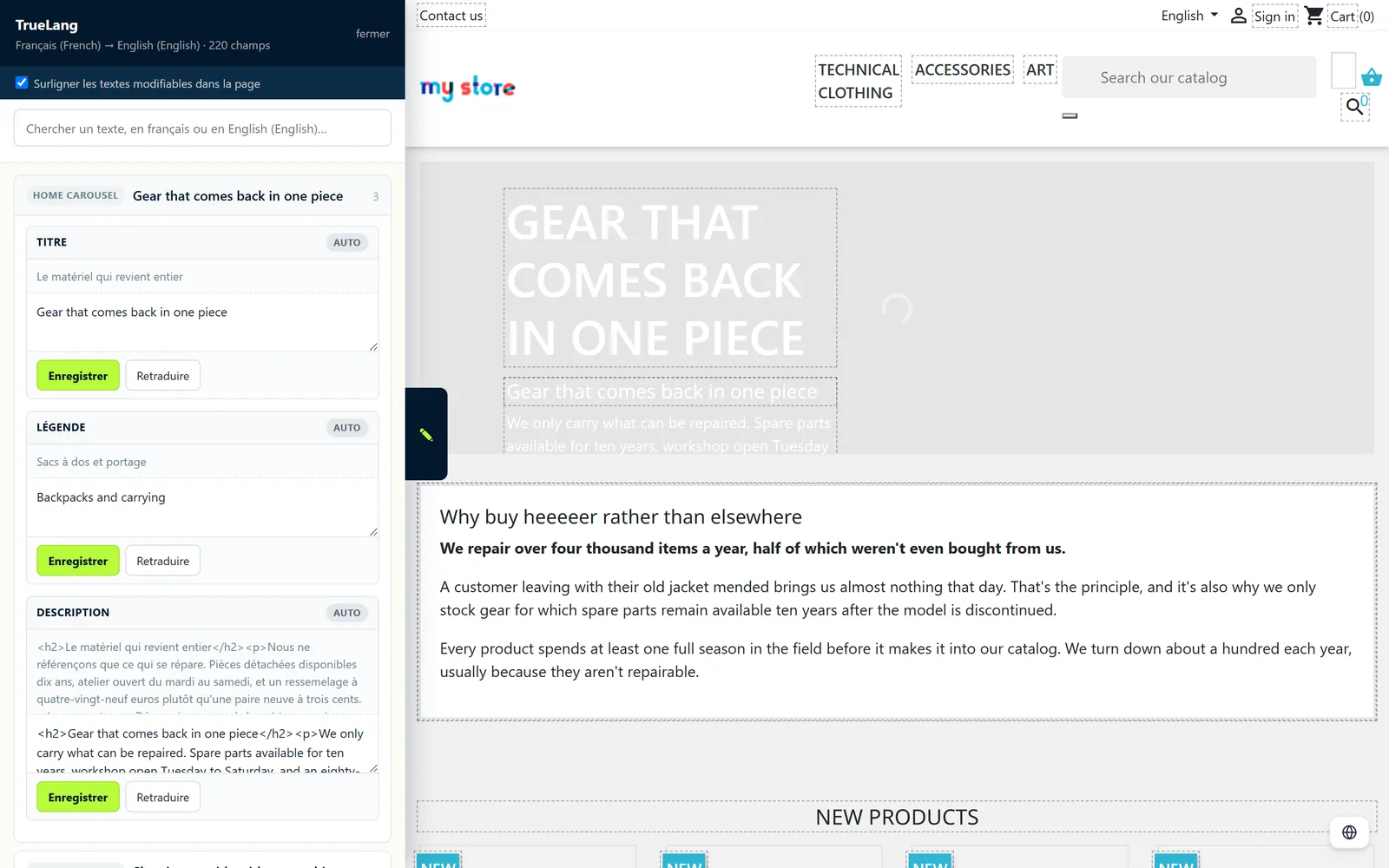
A wording bothers you while reading your translated store. Rather than finding the sheet in the back office, you open the page in correction mode: editable texts underline, and a panel displays the original above its translation.
Each field has its Save button and Retranslate button. Manual correction is protected: subsequent passes won't overwrite it, even a forced pass. Retranslate returns control to the model if you change your mind.
Your visitors never see this panel. Without a back-office session, nothing is loaded.
Search, correct, purge
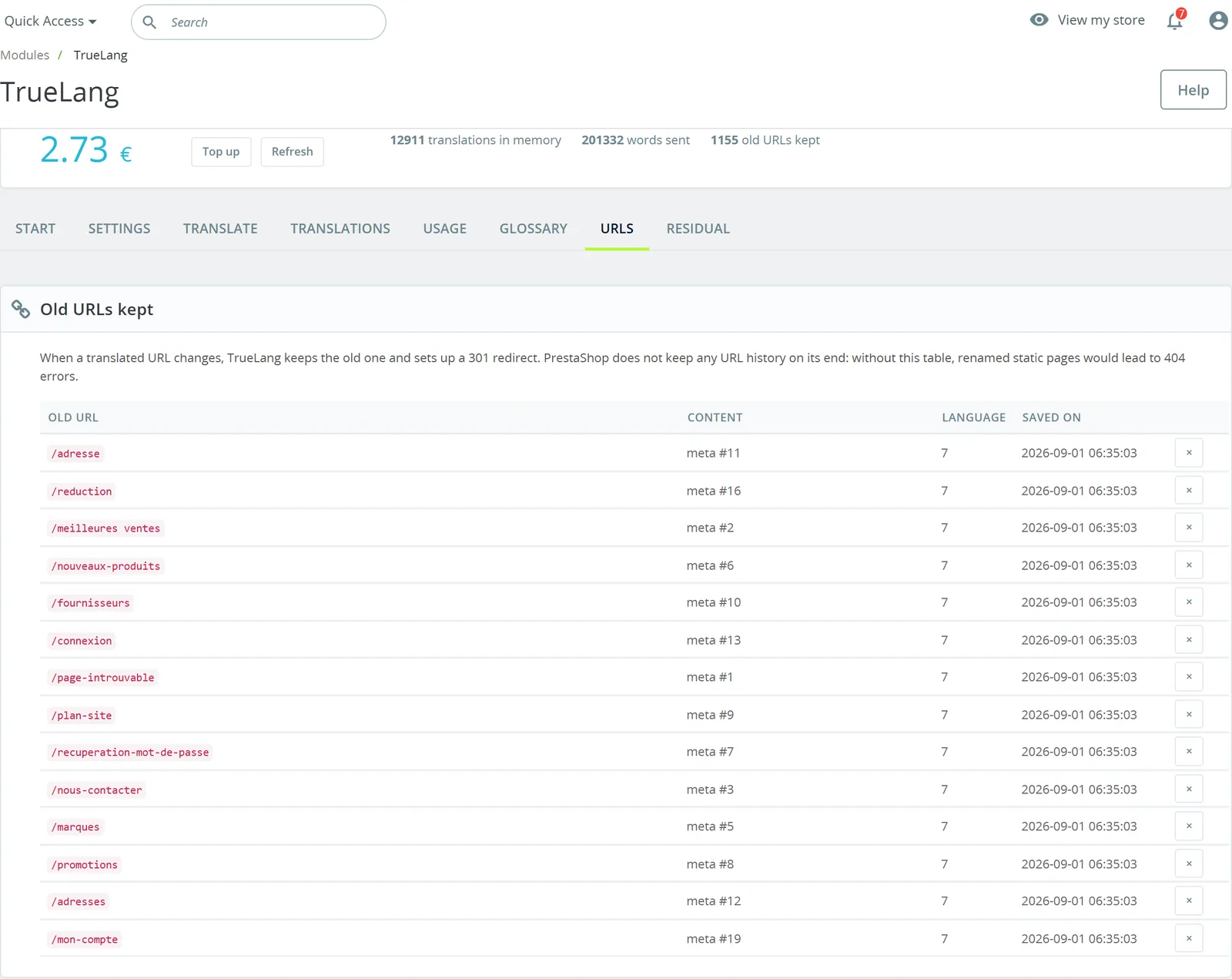
The Translations tab searches in the source or in the translation, all languages or just one, and lets you correct directly in the list.
To start fresh on a language, the module warns you of what few tools say: on PrestaShop translation IS the native content, so emptying memory alone changes nothing for your visitors. A checkbox also resets contents to source language. Old URLs are preserved and redirected.
A last block lists segments the model returned unchanged. Often correct, for a brand name or reference, sometimes a sign it failed. Purging them puts them back in the queue for the next pass.
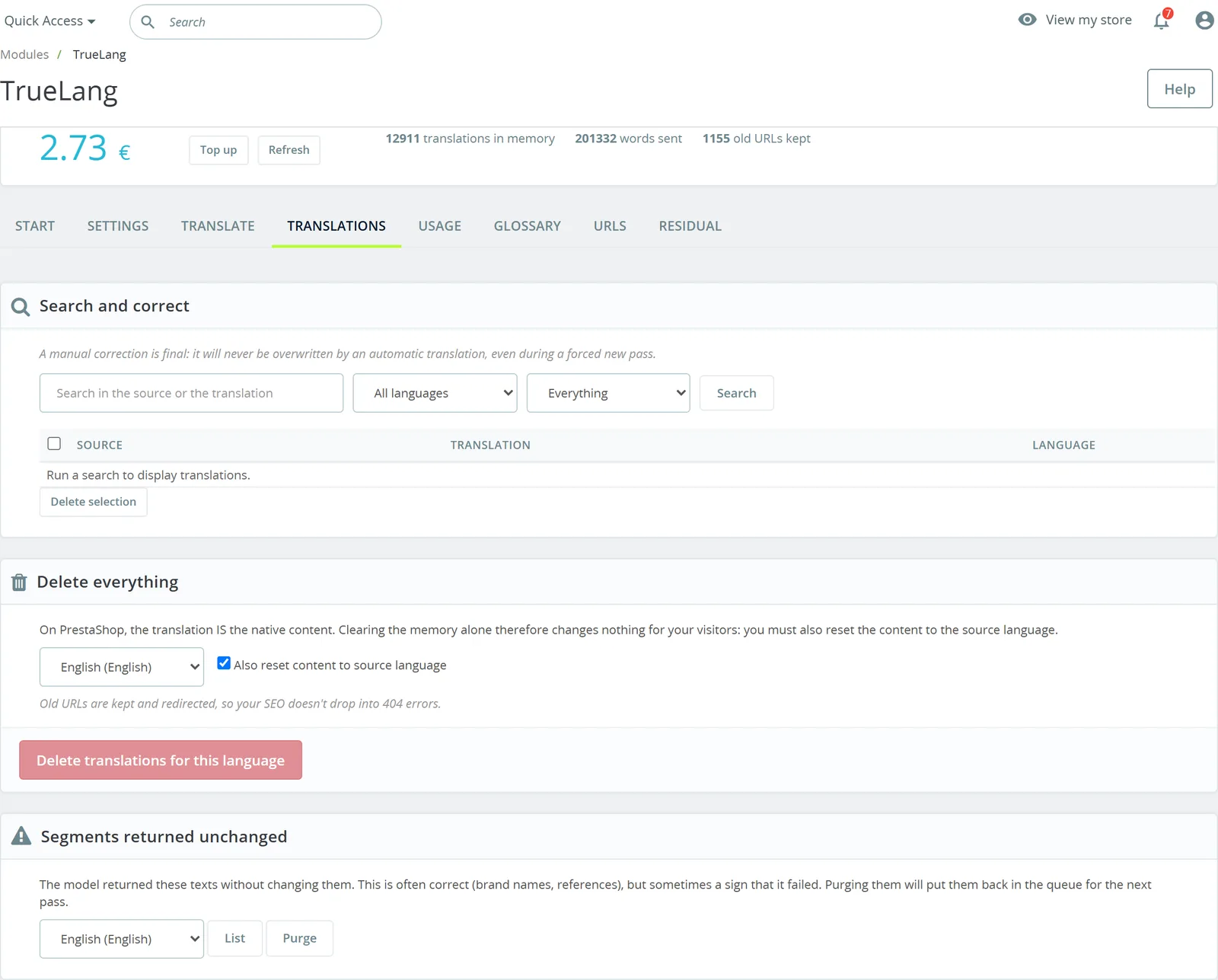
Enforce a term's translation
A source term, its enforced translation, the language. A product line name, a term from your industry jargon, a house formula.
The on-screen example is the classic trap: Peak is both a brand name and a common French word. Without glossary, it comes out translated. A second field, managed from your TrueLang dashboard, lets terms pass through translation untouched entirely.
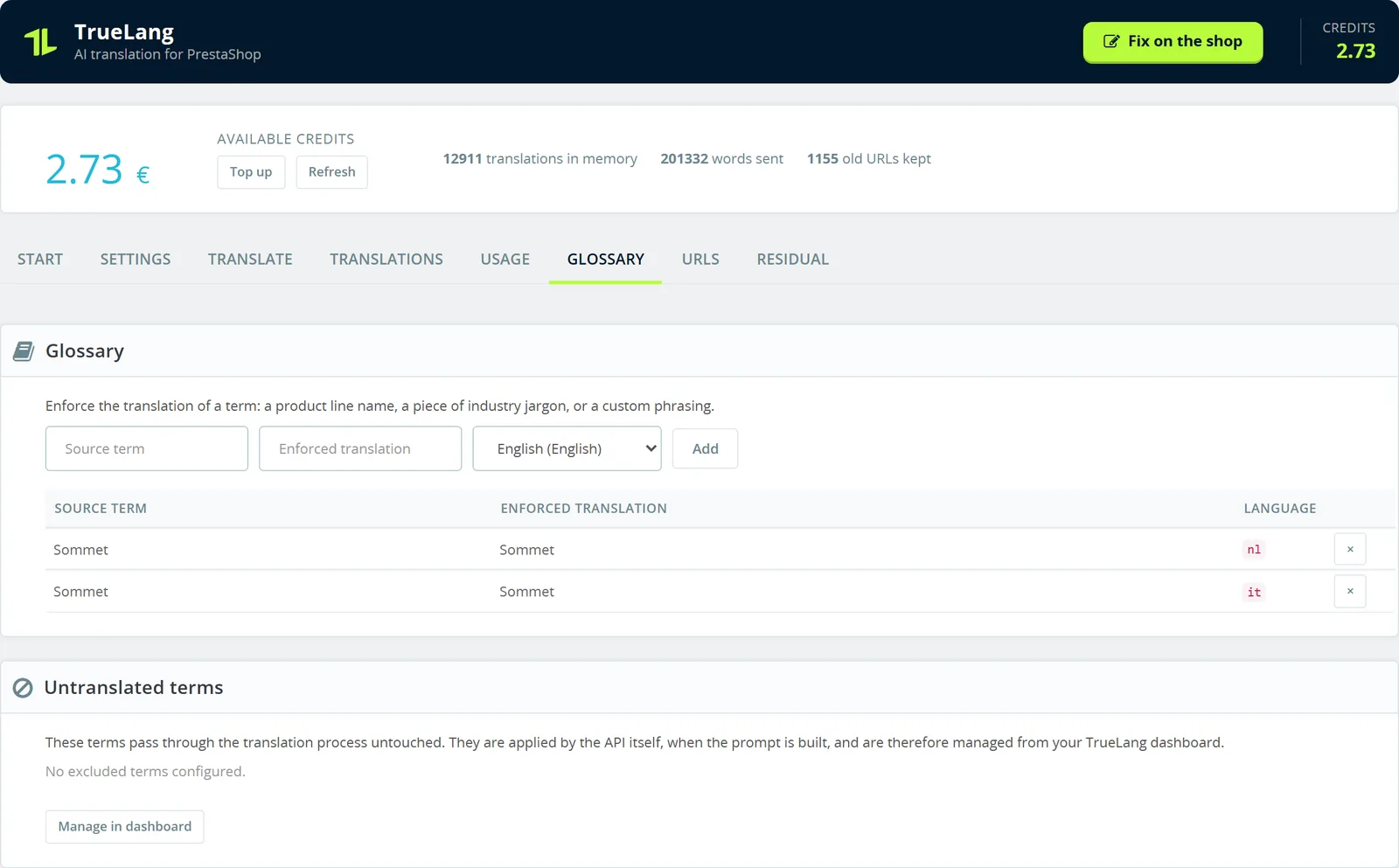
What you spend, measured not estimated
The Consumption tab shows the amount spent, words sent, words retrieved from memory and the number of translations stored, with day-by-day detail.
The amount is measured on your actual balance before and after each pass, not calculated from a theoretical rate. And words recovered from memory are never refunded: on this store, over sixteen thousand words came back from memory without going back to the AI.
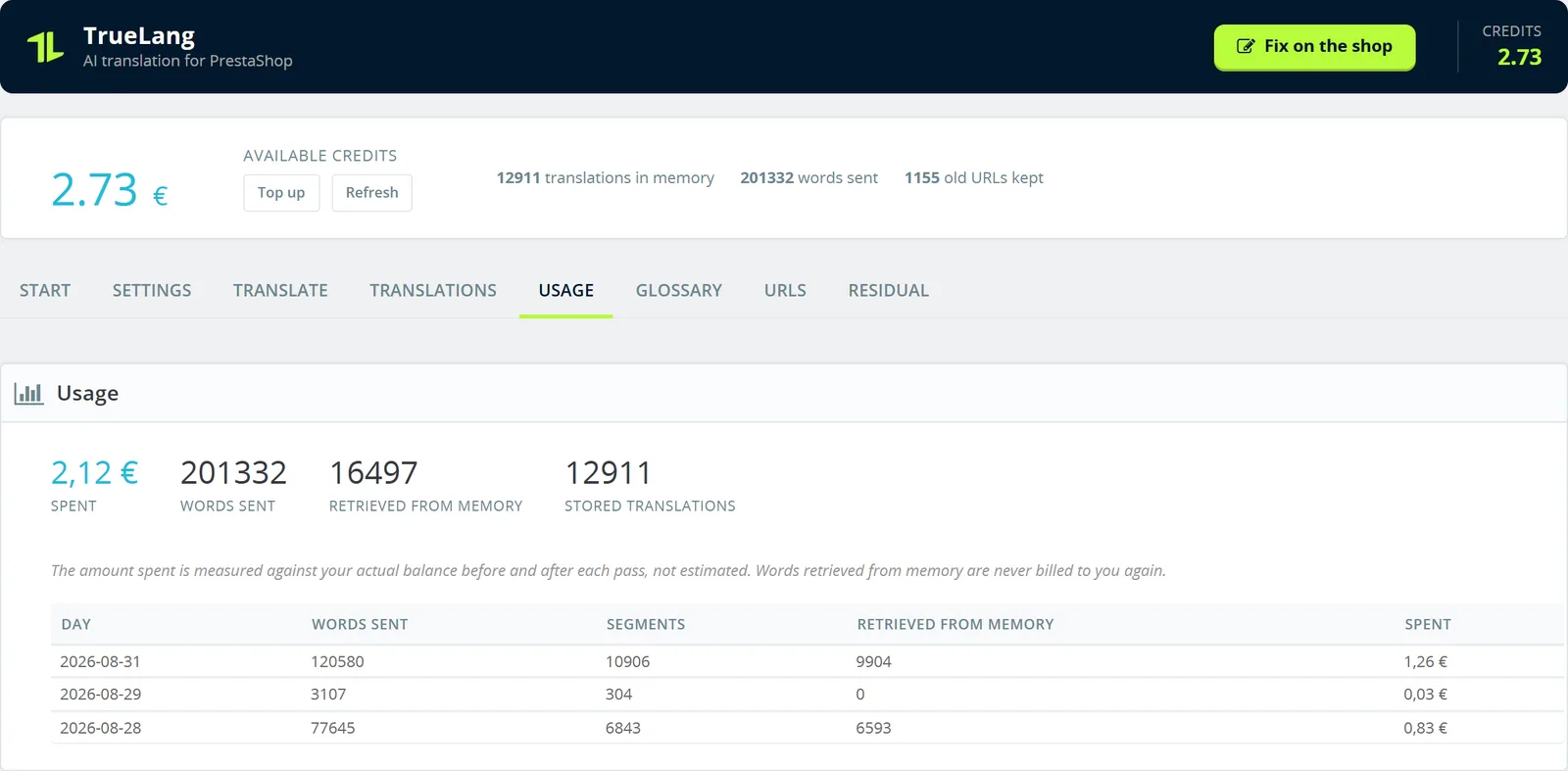
Old addresses don't fall into 404
Each time a URL changes, the old one is preserved and redirected. The demo store has one thousand one hundred thirty in reserve, with the language, targeted object and date.
A setting switches these redirects from 302 to 301. PrestaShop already redirects an old address to the right slug, but in 302, which doesn't transmit SEO.
Three nets for what native translation doesn't reach
The first is the on-store editor, for what you simply want to rephrase.
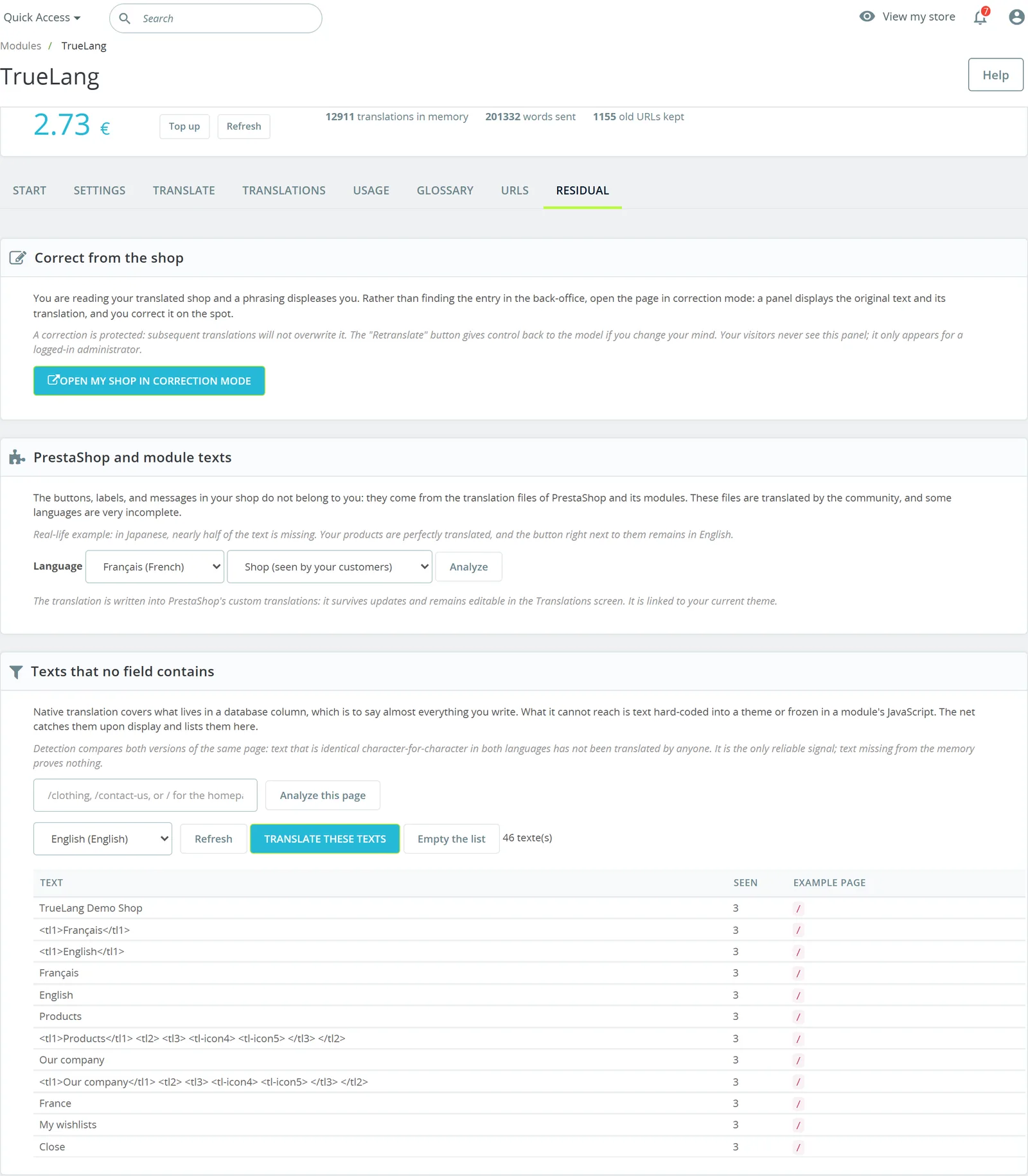
The second targets PrestaShop texts and its modules. Buttons and labels aren't yours: they come from files translated by the community, and some languages are very incomplete. In Japanese nearly half the texts are missing, giving perfectly translated products next to a button still in English. The module translates them and writes them into PrestaShop's custom translations, which survive updates.
The third catches what no database field contains: text hardcoded in a theme, or frozen in a module's JavaScript. Detection compares the two versions of the same page, and text identical character-for-character in both languages wasn't translated by anyone. It's the only reliable signal.
The rest of the settings
One screen holds it all: the key, source language, your store context sent to AI to adjust tone, a Translate button next to each translatable back-office field, your languages with their role, and translation tables of third-party modules TrueLang detected without knowing them.
View the settings screen
The module runs here on a test store of two hundred product sheets, in six languages. The figures on screen are those of this store, not rounded examples.
For detail on what the module covers, supported PrestaShop versions included, see its page .